



15 Creative Ways to Use a Handheld Label Printer Around Your Home
Want to keep your home organized or add a personal touch around your house? A handheld label printer comes to answer this question. Becasue it can make everyday organization more manageable and make ordinary items feel more meaningful around the house.
If you have a label maker but are not sure how to make the most of it, this guide is for you. We'll share 15 creative ways to use a label maker around your home, helping you get more out of this handy little tool.
Why Are Labels Useful at Home?
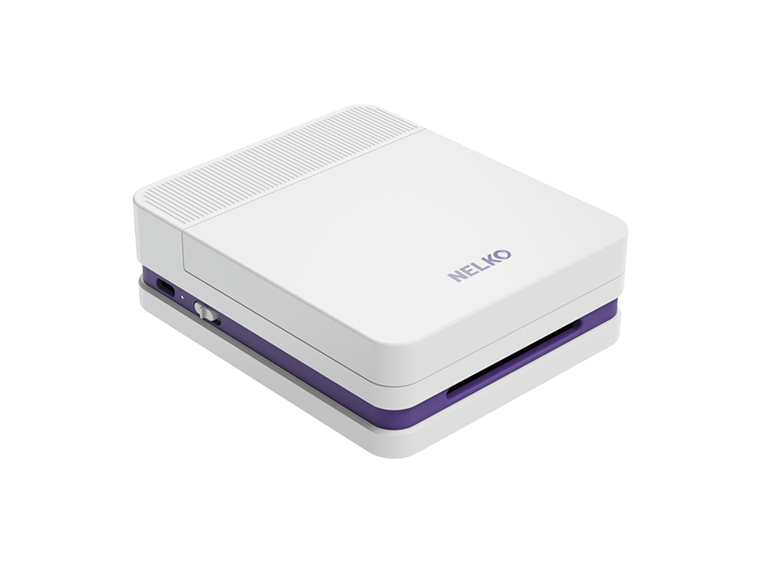
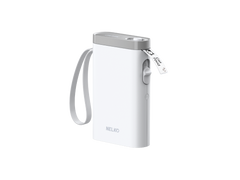
A mini label printer like the Nelko P21 gives you a simple way to create clear, personalized labels whenever you need them at home. With customizable handheld printer labels, you can create various printer without relying on handwritten notes or generic stickers. Get started with us to explore it!
15 Fun Ideas with a Handheld Label Printer at Home
Label Gadget Wires
We've all had that drawer: phone chargers, camera cables, laptop cords, and old USB cables tangled together. You grab one, plug it in, and realize it's the wrong cable. Adding a small "Laptop," "Camera," or "Phone" label near the connector takes away the guessing. It's particularly handy in a family where several people keep their chargers in the same drawer or electronics box.

Bookshelves
After a few busy weeks, a carefully arranged bookshelf can start looking very different. A cookbook gets squeezed beside a travel guide, your kids put their storybooks wherever they find space, and the book you want somehow ends up on the wrong shelf. With a mini printer, small labels such as "Cookbooks," "Travel," and "Kids' Books" create simple sections without making the bookshelf feel overly organized.
 Organize File Folders
Using a handheld label printer like Nelko's P21 label printer, an invoice can go straight into "Invoices," client documents into "Client Files," and current work into "2026 Projects." Over time, this simple habit keeps your filing system from turning into one big stack of paper. It also makes older documents much easier to pull out when you need them months later.

Track Food Expiration Dates
You open the refrigerator on Tuesday night and spot Sunday's leftover pasta, an opened jar of sauce, and a meal-prep container you're pretty sure has been there for a while. Instead of relying on everyone's memory, labels such as "Opened: Sept. 4" or "Use By: Sept. 10" give you a quick reference. They're useful for leftovers, opened packages, and pantry containers that tend to disappear behind newer groceries.

Bath Supplies
In the bathroom, baskets labeled "Wet Wipes," "Extra Toiletries," "Disinfectants," and "Dental Care" make those supplies easier to scan and keep similar items in the same place. So, it's convenient to put things in order, not pushing together.

Baking Supplies
Saturday afternoon baking sounds relaxing until someone asks where the measuring cups went. The cookie cutters are in one drawer, piping tools are in another, and the star-shaped cutter your daughter wants seems to have disappeared completely. Nelko P21 can generate labels like "Cookie Cutters," "Measuring Cups," and "Baking Tools". Next weekend, you can spend more time making cookies and less time searching the kitchen.

Medicine Kits
Separating the cabinet or first-aid box into sections such as "Bandages," "First Aid," and "Cold Care" keeps related items together. So when your kid comes inside after falling off a bike, you know which section to reach for instead of emptying the whole box onto the counter.

Vanity Drawers
Weekday mornings can be busy. You may know your concealer is in the vanity drawer, but it is hidden under brushes and other makeup. When everything is mixed together, small products are easy to lose. Labels like "Skincare," "Lipstick," "Primer," and "Concealer" give each item a clear place. You can quickly find what you need and get ready without searching through the whole drawer.

Label Plants with Encouraging Quotes
Labels don't always need to organize something. Sometimes they can just make an ordinary corner of your home feel a little more personal. Just simply connect your phone to the Nelko P21, select the form you want and edit "Keep Growing" to generate one. Also, put "Good Things Take Time" on a pot you're giving your mom, or stick "Every Cloud Has a Silver Lining" on a plant in your reading corner. It's a small detail, but seeing a positive message while watering your plants in the morning can be a nice part of the routine.

Label Refrigerator Bins
After a big grocery run, everyone seems to have a different idea of where things belong in the fridge. But with a best label maker for home use, you can label refrigerator bins as "Snacks," "Sauces," and "Fruit," giving everyone a quick visual cue when putting groceries away. They can also help kids find their usual snacks without moving everything else around first.

Garage Tools and Hardware
A garage is much easier to keep tidy when every tool has a clear home. One drawer can hold "Screwdrivers," another can be marked "Tape Measures," while small containers can separate screws from other hardware. Instead of dropping everything back onto the workbench, you can put each tool away as you clean up.

Create Gift Tags
You're dressed and ready to leave for a birthday dinner when you notice the gift sitting by the door still doesn't have a tag. Instead of hunting through a drawer for an old gift card, generating a wish label is more convenient. Nelko's app has various templates to choose. Click one you like such as "Happy birthday" or "For Sarah" directly to the wrapping or gift bag. That's all. Or just holiday gift tags like Christmas tags and Halloween gift tags.

Create To-Do or Task Labels
Not every label needs to name an object. Some can remind you what to do next. Simply write down your tasks, print them as labels, and place them somewhere easy to see. Once a task is finished, move it to "Done" so you can quickly see your progress.

Identify Stationery Supplies
Giving storage cups, drawers, or boxes labels such as "Shared Pens," "Markers," and "Notebooks" creates an obvious home for the things everyone uses. After homework is finished, kids also know where the supplies should go back.

Pet Supplies
Think of a small pet station near the door with everything your dog needs in one place. The leash and collar can stay in a basket marked "Leashes & Collars," treats in "Training Treats," and brushes or nail clippers in "Grooming Supplies." Before a walk, you can grab the leash and treats from the same area. When you get home, everything returns to the pet station instead of ending up in different rooms.

Conclusion
A well-organized space starts with simple habits, and handheld label printers make it easier to keep everything in its place. At your home, they can help save time and keep things in their place, while also makeing things around you more meaningful.
Now that you have 15 great ideas for using a label printer, why not put them into practice? Get started with a reliable option like the Nelko P21 and turn everyday organization into something simple, tidy, and even fun.
FAQs
How do I choose a handheld label printer?
Look for a label printer that is easy to use, portable, and offers clear, reliable printing. It is also helpful to consider label size, connection method, and label options. If you mainly use it at home, a compact model with simple smartphone control can make everyday labeling much more convenient.
Can I use labels on food containers or kitchen jars?
Yes, you can label kitchen jars or containers on the outside surface. Do not apply labels directly to food, and test adhesion first if the container will be washed, chilled, or exposed to moisture.
Can I use a label printer for more than organization?
Yes. A label printer can also be useful for DIY projects, personalizing gifts, creating reminders, and adding a decorative touch to everyday items.
Where should I store my label printer at home?
Keep it somewhere that is easy to reach but protected from moisture, heat, and dust. A desk drawer, craft area, or home office shelf can be a convenient choice, especially if you use it regularly.
Can I save and reuse label templates?
Yes. If you use the Nelko P21 printer, you can create labels in the NELKO app and reuse templates or saved designs for repeated labeling tasks. This is useful for storage labels and daily organization.