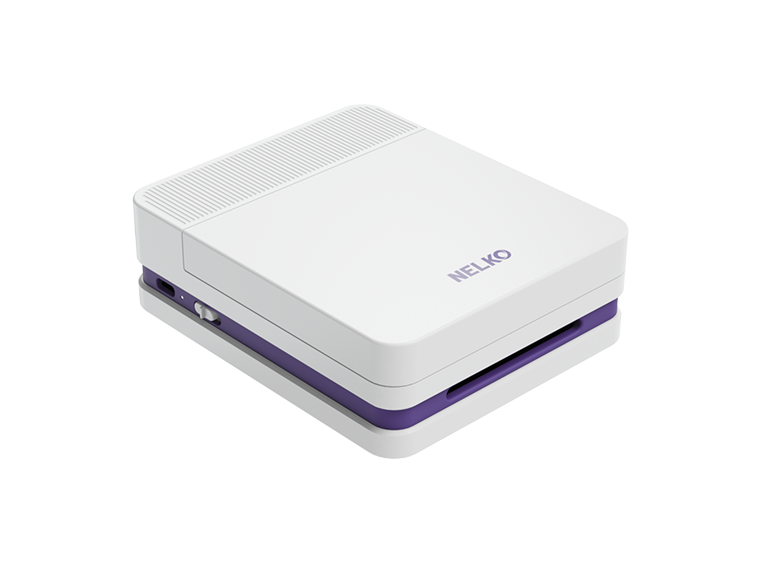
NELKO D810 Tattoo Stencil Printer

$79.99
$139.99
Save $60.00
  • Endless Templates, Unlimited Creativity: Explore hundreds of built-in templates and icons in the Nelko app — create notes, memories, and more, all your way.
  • Inkless Thermal Printing: No ink, no toner, no ribbons — just clean prints. Thermal technology for safe, hassle-free printing every time.
  • Less than 1.87 lbs of pure portability: Ultra-portable at less than 1.87 pounds— carry it anywhere and take your ideas wherever life takes you.
Title
  • Fast Shipping

    Fast shipping and delivery

  • Warranty

    Hassle free warranty

  • Guarantee

    30-Day money back

  • After-Sale Service

    Lifetime support

Quantity
Alt image

Frequently Asked Questions

Our customer support is available

Monday to Friday

What does the tattoo stencil printer connect through?

Nelko D810 stencil printer can be connected via Bluetooth using a mobile phone or via USB cable using a computer.

How to install tattoo transfer paper before use?

Step 1: Tear off the yellow bottom paper

Step 2: Take out the white protective paper

Step 3: Insert the tattoo transfer paper, the blue transfer paper is facing up.

Step 4: Insert the tattoo transfer paper parallel to the paper entry

Does the D810 come with tattoo stencil paper?

Nelko D10 tattoo machine kit comes with 10 tattoo papers

How long does the tattoo machine last?

Nelko D810 Bluetooth tattoo printer machine equipped with 1500mAh high-capacity battery, fully charged can work continuously for 49 minutes and print 200 sheets of tattoo transfer paper.

How to solve the problem that D810 tattoo stencil printer cannot connect to Bluetooth?

Step 1: Check if your Bluetooth is turned on.

Step 2: Find Nelko APP on setting.

Step 3: Turn on Bluetooth access

Customer Review