



NELKO PL70E Bluetooth Thermal Shipping Label Printer
$84.99
$110.99
23% Off
Color :
Black
Package
Quantity
Total:
$84.99
$110.99
Total:
$84.99
$110.99
Supported payment methods:


-
Fast Delivery
2-5 business days after dispatch
-
15-Day Replacement
Free replacement for quality issues
-
After-Sale Support
Support beyond the return window
Special Offers


FAQ
Does the PL70E need ink, toner, or ribbon?
How fast does the PL70E print?
Which shipping platforms work with the PL70E?
What label sizes does the PL70E support?
Do I need NELKO-only labels for the PL70E?
Can I print from both phone and computer with the PL70E?
Reviews
Specifications
Main Functions
- Prints 100 × 150 mm shipping labels at speeds up to 150 mm/s—over 60 labels per minute
- Supports thermal paper and thermal labels from 40 to 104 mm wide
- Connects to computers and mobile devices via Bluetooth; also supports USB connection
- Compatible with Windows, macOS, Linux, and ChromeOS
- Uses direct thermal printing—no ink or toner required
- Compact, space-saving design available in Black, White, Pink, and Blue
- Product size (L × W × H): 228 × 152 × 127 mm
In-the-box
- 50 × 100 × 150 mm Thermal Labels
- 1 × USB Cable
- 1 × Power Adapter
- 1 × Power Cord
- 1 × USB-C Adapter
- 1 × Driver USB Flash Drive
- 2 × Instruction Manuals
View More Collapse
Printing Principle
Direct Thermal
Print Speed
Up to 150 mm/s
Printing Resolution
203 dpi
Power Input
24V ⎓ 2A
Connection Modes
Bluetooth / USB
Supported Operating Systems
Windows, macOS, Linux, and Google Chrome OS
Supported Consumables
Thermal Paper / Thermal Labels
Supported Consumable Width
40–104 mm
Working Environment
5–40°C, ≤90% RH (Non-condensing)
Storage Environment
5–40°C, ≤90% RH (Non-condensing)
Cutter Mode
Manual Tear-off
Product Colors
Black / White / Pink / Blue
Printing Head Lifetime
50 km
Function Buttons
Power Button / Function Button
Ports
1 × Power Port / 1 × USB Port
Indicator Light
1 × LED Indicator
Explore More


NELKO PP01 Bluetooth Photo Printer
Keep the magic of the moment alive with instant, vibrant prints right from the palm of your hand

NELKO P21 Portable Bluetooth Label Printer
Create custom labels in seconds with our most portable, everyday organizing tool

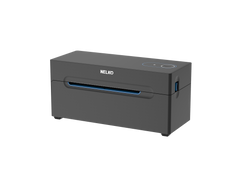
NELKO PL70E Thermal Shipping Label Printer
Streamline your workflow with a reliable companion designed for modern shipping

NELKO PM220 Bluetooth Label Printer
Turn your ideas into custom labels or create your own DIY sticker albums with one perfectly portable tool
