



Best Label Printers for Shipping Labels for Your Business: A Complete Guide
Printing a few shipping labels is easy when your business is small. But the process can become slower as your order volume grows. You may need to print labels one by one. You may also need to adjust label sizes or switch between different carrier formats.
A suitable label printer for shipping can make this workflow easier. It gives you a more direct way to print labels for your packages. In this guide, I’ll show you how to choose the best shipping label printer for your business and cover the key things you need to know before buying one.
What is a Shipping Label Printer?
A shipping label printer prints the labels carriers use to scan, sort, and deliver packages. While a standard office printer can also print shipping labels, the size, resolution, and alignment must be correct to keep barcodes clear and scannable.
Dedicated shipping label printers make this process easier by printing consistent label sizes, such as A6 or 4 × 6 inches, with clear barcodes and fewer adjustments. For e-commerce businesses, this helps reduce printing errors and keeps fulfillment running smoothly as order volume grows.
Do You Need a Dedicated Shipping Label Printer?
An A4 or laser printer can be enough if you only ship a few orders per day and want a simple, low-cost setup. However, printing on sticker sheets requires more manual work and can become inefficient as order volume grows.
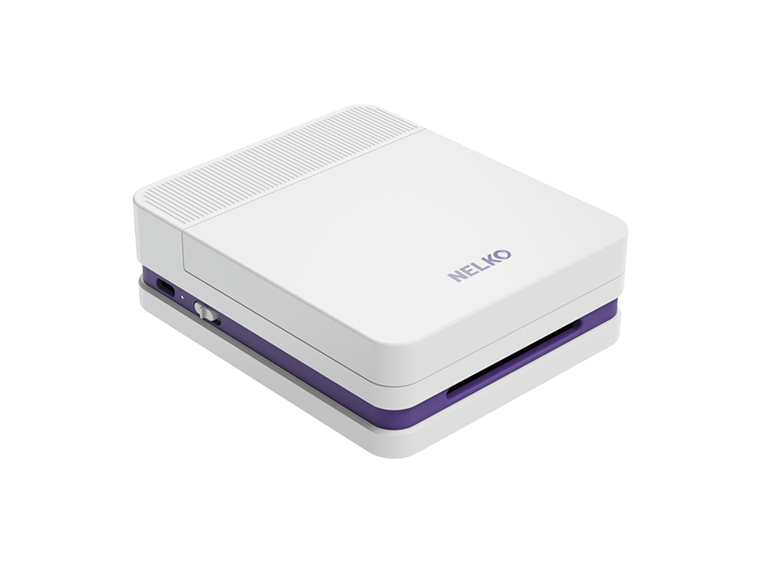
A dedicated thermal label printer like Nelko's PL70E can be a better fit when you ship daily or print dozens of labels. It prints labels one at a time, reduces formatting issues, and makes the workflow more efficient.

If your current setup is starting to slow down fulfillment, the next step is to decide which printing technology fits your shipping workflow.
What to Know Before Choosing a Shipping Label Printer?
Thermal vs. Laser Label Printing for Shipping Labels
Both thermal and laser printers can print shipping labels. The right choice depends on your shipping volume and workflow.
Thermal Printer: A thermal printer uses heat to print labels. Direct thermal models do not require ink or toner. Thermal printers usually print one shipping label at a time. A6 or 4 × 6 inches is a common format for e-commerce shipping.
Laser Printer: A laser printer uses toner. It can print shipping labels on compatible A4 sticker sheets. You can print several labels on one sheet. You then peel off the labels and apply them to the packages. This setup can be enough if you only ship a few orders each day.
How to Choose?
If you only ship occasionally, a laser printer may be enough. For frequent shipping or growing order volumes, a thermal printer is often more practical because it requires no ink or toner, provides consistent output, and simplifies daily printing. Label fading is usually less of a concern for shipping because the label only needs to remain readable through delivery.
Direct Thermal or Thermal Transfer Printer
If you prefer a thermal label printer, come to know more about it. Thermal printers use two main printing methods. These are direct thermal and thermal transfer.
Direct Thermal Printing: direct thermal printing uses heat-sensitive labels. Heat from the printer creates the image directly on the label. It does not require ink, toner, or a ribbon.
Thermal Transfer Printing: Thermal transfer printing uses a heated ribbon to create the image. The ribbon transfers the image onto the label.
How to Choose?
For most e-commerce shipping workflows, direct thermal is a common option because it is easy to set up and does not require a ribbon.
Thermal transfer is better suited for long-lasting labels that may be exposed to heat, moisture, or wear. It is less commonly needed for everyday shipping labels.
What to Look for in a Shipping Label Printer?
The right lable maker supports your workflow as order volume grows. Here are some factors to choose the best one for your business.
Purpose
Some label printers are designed for small organization labels, while shipping label printers need to support larger shipping formats and work with your fulfillment tools. If you mainly print shipping labels, choose a printer designed to handle the label sizes and workflow your carriers require.
Print Volume and Speed
Consider how many shipping labels you print each day. A basic desktop printer may be enough for a few daily orders. As you move into dozens or hundreds of labels, printing speed and consistency become more important.
Printing speed may be measured in labels per minute or inches per second. In general, higher shipping volumes require faster and more reliable printing. For high-volume or warehouse operations, the printer also needs to handle repeated printing throughout the day.
Label Size and Roll Compatibility
Make sure the printer supports the shipping label format you use. A6 or 4 × 6 inches is a common format for e-commerce shipping labels, while a standard office printer may use A4 sticker sheets.
You should also check which label rolls the printer supports. Some printers work with specific label types or manufacturer-recommended rolls, so check compatibility before choosing your labels.
Print Quality and DPI
Clear printing is important because carriers need to scan the barcode on each shipping label. Printer resolution is measured in dots per inch (DPI).
Common label printer resolutions include 203 DPI and 300 DPI. Higher DPI provides more detail, but for shipping labels, the main goal is to produce clear text and scannable barcodes.
Connectivity
Think about where the printer will be used and how many people need to print.
USB provides a direct connection and works well for a single packing station. Wi-Fi or a network connection allows multiple computers or packing stations to use the printer. Bluetooth is useful when you want to print directly from phones, tablets, or other mobile devices.
For growing teams or warehouses with several packing stations, network connectivity can make it easier for multiple employees to send labels to the same printer.
Software and Platform Compatibility
Make sure the shipping label printer works with the tools you already use. This includes your e-commerce platform, carriers, operating system, and shipping software.
Poor compatibility can create extra steps, such as downloading files, changing formats, or manually adjusting labels. A printer that integrates with your existing workflow can make the printing process more efficient.
Ease of Setup and Maintenance
Finally, consider how easy the printer is to set up and use. Check that it has reliable drivers, supports your operating system, and does not require frequent recalibration.
Label quality also matters. Poor-quality or incompatible labels can affect barcode readability and create unnecessary printing problems.
Which Shipping Label Printer Fits Your Business?
There is no single printer setup for every business. Your order volume and packing workflow should guide your choice.

Home-Based and Small Online Sellers
If you ship only a few orders each day, keep the setup simple.
An A4 printer with sticker sheets can work. An entry-level desktop thermal printer is another option.
At this stage, low setup cost and ease of use may matter more than high print speed.
Growing E-Commerce Businesses
As order volume grows, small manual steps start to take more time.
A dedicated A6 or 4 × 6 thermal printer can make regular label printing easier.
For example, a growing e-commerce business handling 50–500 orders per day needs faster printing and more consistent output.
Warehouses and High-Volume Shipping
Warehouses often need labels throughout the day.
Several employees may also need to print from different packing stations. Shared printer settings and network connections can support this type of workflow.
Multiple printers can also help prevent one printer from becoming a bottleneck during busy periods.
Conclusion
The best shipping label printer depends on your shipping volume and workflow. Check the label size, printing technology, speed, print quality, connectivity, and compatibility before choosing a printer.
Your setup may also change as your business grows. A simple printer can work for a few daily orders. A dedicated thermal printer can make more sense when shipping becomes a regular part of your business.
FAQs:
Do I need a shipping label printer?
Not always. A regular printer can work if you only ship a few packages. As your order volume grows, a dedicated shipping label printer can reduce manual steps and make daily label printing faster and more consistent.
Do shipping label printers need ink or toner?
Direct thermal shipping label printers do not need ink or toner. They use heat-sensitive labels and a thermal printhead to create the image. Thermal transfer printers use a ribbon instead.
What size labels should I use for shipping?
The required size depends on your carrier and shipping setup. A6 or 4 × 6 inches is a common shipping label format, but you should always check the size requirements of the carriers you use before choosing a printer.
What should a small business look for in a shipping label printer?
Consider your daily print volume, printing speed, label size support, print resolution, connectivity, and software compatibility. The right printer should fit your current shipping workflow and support your needs as order volume grows.
Can one shipping label printer work with multiple carriers?
Yes, in many setups. You usually do not need a separate printer for every carrier. The important thing is that your printer supports the required label format and works with the shipping software or platforms you use.
Is a thermal printer better for shipping labels?
It depends on your shipping volume and workflow. A regular printer may be enough for occasional shipping. For frequent shipping, a thermal printer can simplify the process because it prints labels directly and does not require ink or toner.