



15 Practical Things You Can Make With a Mini Printer
A mini printer can do much more than print an occasional label or photo. Depending on the type of printer you own, it can help with home organization, studying, creative projects, travel, and even small-business tasks.
Different mini printers are made for different jobs. A compact photo printer is designed for photos, while thermal label printers work better for labels, stickers, and short text. Before starting a project, check the paper type and print size your printer supports.
1. To-Do Lists and Reminders
Turn a digital task list into something you can keep in sight. Print errands, appointments, deadlines, or short reminders and place them beside your desk, on a storage box, or near the front door.
A compact portable label printer works especially well for small reminders that need to stay visible.
2. Personalized Photo Prints
Photos stored on your phone can become journal pages, scrapbook decorations, travel memories, or small keepsakes for friends.

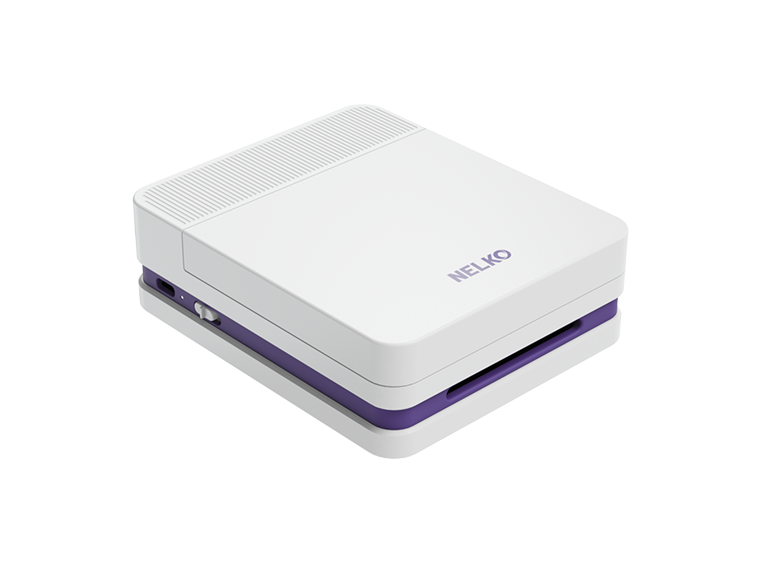
A mini photo printer such as the NELKO PP03 prints full-color photos directly from a smartphone, making it better suited to this project than a thermal label printer.
Choose images with a clear subject and preview the crop before printing.
3. Black-and-White Journal Prints
Use a mini sticker printer to add black-and-white photos, illustrations, quotes, icons, or short notes to a journal. The monochrome print style works especially well for minimalist layouts, memory pages, mood boards, and everyday journaling.

Try combining one small image with a date, caption, or decorative element instead of filling the page with large prints. This keeps the layout clean and leaves room for handwriting.
4. Decorative Stickers
Create small stickers featuring icons, illustrations, quotes, patterns, or simple graphics for notebooks, planners, craft projects, and storage items.
For black-and-white sticker projects, a thermal sticker printer can print customized designs from a phone.

5. Custom Bookmarks
Print a favorite quote, illustration, vocabulary list, or reading tracker and turn it into a personalized bookmark.
For thinner thermal prints, attach the finished print to cardstock before trimming it to size.
6. Recipe Notes
Print frequently used ingredient lists, cooking times, substitutions, or short preparation steps instead of repeatedly checking your phone while cooking.
Keep thermal prints away from hot cookware, steam, and wet surfaces.
7. Coloring Stickers
Outline stickers can become an easy creative activity for children. Print simple animals, letters, vehicles, or shapes with large spaces that are easy to color.
Using one theme at a time can also turn the stickers into matching, sorting, or storytelling activities.
8. Personalized Gift Tags
Print names, short messages, holiday graphics, or simple designs for birthdays, holidays, party favors, and handmade gifts.
Sticker labels can go directly onto wrapping, while non-adhesive prints can be mounted on cardstock and tied to a gift.
9. Name Labels for School Supplies
Print clear name labels for notebooks, folders, pencil cases, storage boxes, and other school items that are easy to mix up.
A Bluetooth label printer lets you create and edit small labels directly from a smartphone.
Avoid placing unnecessary personal information on items children carry in public.
10. Home Organization Labels
Label pantry containers, drawers, cables, craft supplies, office storage, and household bins so items are easier to identify and return to the right place.
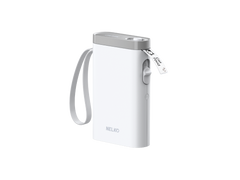
For larger storage and pantry labels, the NELKO PM220 Bluetooth Label Printer supports labels from 23 to 54 mm wide, making it useful for a wider range of organization projects.
11. Product and Barcode Labels
Small businesses can print product names, prices, SKUs, barcodes, and QR codes as needed instead of preparing an entire sheet of labels in advance.
The NELKO PM220 supports barcode and QR code creation through the NELKO app. Print and scan one test label before producing a larger batch.
12. Shipping and Address Labels
Shipping labels require a printer that supports the label dimensions used by your carrier or selling platform.
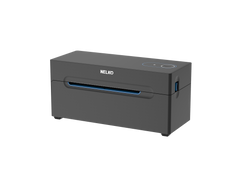
For larger package labels, the NELKO PL70E thermal shipping label printer supports label widths from 40 to 104 mm and is designed for shipping-label tasks.
Always check the print scale and make sure the address and barcode are complete before attaching the label.
13. Small-Business Packaging Stickers
Print thank-you labels, logo stickers, social media handles, handmade labels, or package seals in small batches.
A mini sticker printer is useful when packaging designs need to change between products, seasons, or promotions.
Keeping fonts and layouts consistent across several sticker designs can make packaging look more organized.
14. Luggage Labels
Print a name and contact method and place the label inside a protective luggage-tag holder.
An email address or phone number with the international country code is usually enough. There is little reason to display a full home address on the outside of your luggage.
15. Visual Routine Cards for Kids
Print simple picture cards for everyday routines such as brushing teeth, packing a school bag, cleaning up, or getting ready for bed.
Use one clear image and only a few words on each card. Separate sets can be rearranged as routines change, and children can flip or move each card after completing a step.
Mini printers are most useful when the project matches the printer itself. Photo printers are better for colorful memories, narrow label printers work well for everyday organization, and wider thermal printers handle larger product or shipping labels.
Once you know what your printer is designed to print, there are plenty of reasons to keep it out of the drawer.