



Thermal Printer vs Inkjet Printer: Which is Better for Labels?
For small businesses and home users, the right label printer can make shipping, product labeling, and organization easier, while the wrong setup may lead to unnecessary supply costs, frequent maintenance, or an inconvenient printing process.
If you are comparing a thermal printer with an inkjet printer, you probably want to know which one suits your label type, print frequency, and color needs. This article will explain the key differences, common uses, and practical factors to help you decide which printer best fits your needs.
How Thermal and Inkjet Printers Work
A thermal printer uses a heated printhead to create text, barcodes, and graphics on compatible label media, but not every thermal printer works in the same way.
Direct Thermal vs Thermal Transfer
Direct thermal printing uses heat to darken the coating on heat-sensitive labels. It does not require ink, toner, or a ribbon. Thermal transfer printing uses a heated printhead to transfer ink from a ribbon onto a label. It requires a ribbon and labels made for thermal transfer printing.
How Inkjet Label Printing Works
An inkjet printer uses small nozzles to spray droplets of liquid ink onto a label. Household inkjet printers usually print pre-cut label sheets, while dedicated inkjet label printers may print from rolls.

Thermal Printer vs Inkjet Printer: Key Differences for Labels
You should compare the full printing system, not the printer alone.
|
Factor |
Thermal printer |
Inkjet printer |
|
Supplies |
Uses thermal labels; thermal transfer models also require a ribbon |
Requires ink and inkjet-compatible sheets or rolls |
|
Color and detail |
Better for monochrome text, barcodes, and simple graphics; color options are limited |
Better for full-color logos, photos, gradients, and detailed designs |
|
Print volume |
Usually better suited to frequent monochrome label printing and repeated batches. |
Often sufficient for occasional label printing; dedicated inkjet models can support higher-volume color work. |
|
Durability |
Depends on the printing method: Direct thermal labels are usually better for short-term use, while thermal transfer labels generally last longer. |
Depends on the ink, coating, label material, and environment |
|
Maintenance |
The printhead may need occasional cleaning, but there are no ink nozzles to clog. |
Ink cartridges need replacement, and nozzles may require cleaning |
The labels you print most often should also guide your final choice.
Which Printer Works Better for Your Labeling Needs?
Shipping and Barcode Labels
For frequent monochrome shipping labels and barcodes, a dedicated direct thermal printer is usually the easier starting point. A roll-fed model can print one label or a batch without using ink cartridges.
An existing inkjet printer can still handle occasional shipping labels when you use self-adhesive sheets made for inkjet printers. In either case, you should confirm that the printer supports the required label size, use the correct print scale, and make sure the barcode is clear.
If you need smaller barcode or inventory labels rather than standard 4 × 6 shipping labels, the PM220 Bluetooth label printer supports labels from 23 to 54 mm wide and works with phones and computers.

Product Labels and Color Stickers
For product labels, you should start with the design requirements. An inkjet printer is more suitable when the label needs full-color logos, photos, gradients, or detailed brand graphics.
Thermal printing is a practical option for monochrome product information, QR codes, prices, dates, and simple graphics. If the label must last longer or withstand heat, moisture, or friction, you should consider thermal transfer with a suitable ribbon and label material.
Home Organization, Price Tags, and Craft Labels
If your storage labels, name tags, or price tags only need black text and simple graphics, a small direct thermal printer may be enough. You can print individual adhesive labels without using ink. If you need full-color craft stickers, photos, or detailed designs, an inkjet printer is more suitable.
For narrow black-and-white labels, the P21 portable label printer is one example. It connects to iOS and Android phones through Bluetooth, and one available label size is 14 × 75 mm. You should check whether this size fits your task because the printer is not designed for standard 4 × 6 shipping labels.

Is Your Existing Inkjet Printer Enough?
It may be enough if you print labels only occasionally, need full-color graphics, and can produce clear results at the required size. But adding a thermal printer makes sense when monochrome label printing becomes frequent, you want to print individual labels or batches from rolls, or ink and nozzle maintenance regularly interrupts your work.
Since the two printer types serve different purposes, adding a thermal printer does not mean replacing your current inkjet printer. You can keep both for different label jobs.
What to Check Before Choosing a Label Printer
Before you choose a model, you should check:
- the exact label size and whether the printer uses sheets or rolls;
- whether you need black or full-color output and clear barcodes;
- whether compatible labels and stickers are available for the model;
- how often you print and whether you print one label or a batch;
- how long the labels need to last and where you will use them;
- whether the printer works with your phone or computer.
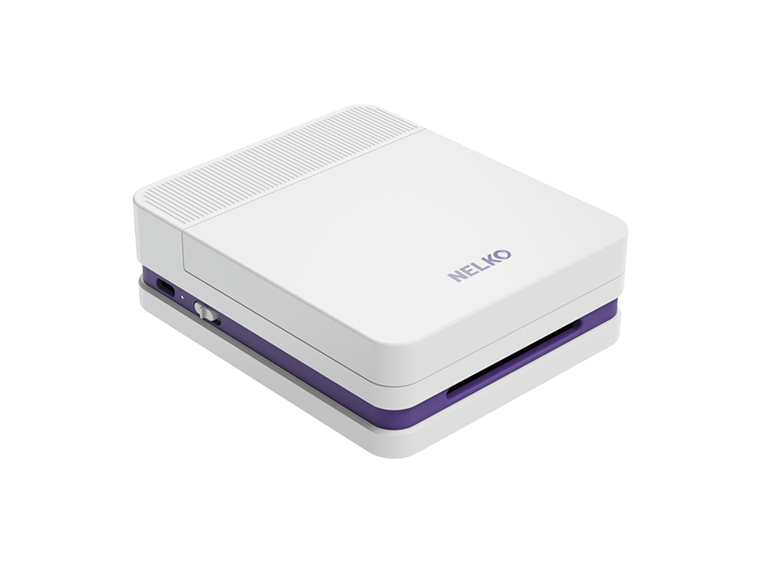
For most repeated monochrome workflows, thermal printing is the more practical option. After confirming the required size and compatible supplies, you can compare NELKO thermal label printers.
Frequently Asked Questions
Can I Print Shipping Labels With an Inkjet Printer?
Yes. You should use inkjet-compatible paper or labels at the required size. Make sure the text and barcode are clear. If you use tape, keep it away from the barcode because glare or wrinkles may affect scanning.
Do Thermal Printers Need Ink?
Direct thermal printers do not need ink, toner, or a ribbon. Thermal transfer printers do not use ink cartridges, but they do need a ribbon. You should check the printing method before buying supplies.
Can Thermal Printers Print Color Labels?
Most direct thermal printers create a black image. You could use colored or patterned label material, but the printer is not producing a full-color design. Thermal transfer can use colored ribbons, but this is different from inkjet photos, gradients, and multi-color graphics.
Which Printer Makes More Durable Labels?
Thermal transfer is usually more suitable for long-term use or labels exposed to friction and demanding environments. Durability still depends on the ribbon and label material.
Can I Use Inkjet Sticker Paper in a Thermal Printer?
No. Ordinary inkjet sticker paper is not designed for thermal printers. You should use heat-sensitive labels for direct thermal printing, or labels and ribbons made for thermal transfer.