



Bluetooth Printer vs. WiFi Printer: Which One Do You Need?
One of the most common questions is whether a Bluetooth printer or WiFi printer is the better choice. Both are wireless printers, but they connect to devices in different ways and offer different benefits. The right option depends on how and where you plan to print. This guide compares Bluetooth and WiFi printers to help you choose the one that best fits your needs.
How Does a Bluetooth Printer Work?
A Bluetooth printer is a wireless printer that connects directly to a compatible device using Bluetooth technology. You can send print jobs from a smartphone, tablet, or another supported device without connecting the printer to a WiFi network.
Bluetooth printers are commonly used for nearby printing. Depending on the model, they can print shipping labels, product labels, barcodes, receipts, and other materials.
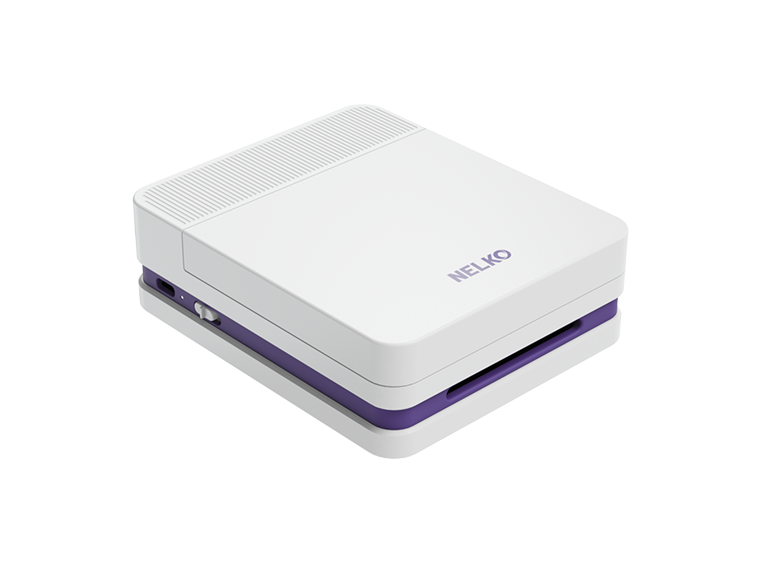
For example, NELKO offers different types of bluetooth printers for different everyday needs, including the wireless photo printer, sticker printers, and label printers. Whether you want to print photos from your phone, create stickers, or organize labels, there is a printer designed for the task.

How Does a WiFi Printer Work?
A WiFi printer connects to compatible devices through a wireless network. Instead of connecting directly through Bluetooth, it usually communicates with devices connected to the same local network.
This allows computers, smartphones, and tablets to access the printer without a physical cable. WiFi printers are often used in homes, offices, and other workspaces where several devices need printing access.
Bluetooth Printer vs. WiFi Printer: Key Differences
After learning the answer to "How does a wireless printer work?," let's take a closer look at the differences between Bluetooth and WiFi printers.
Ease of Connection
Bluetooth printers connect directly to compatible devices through a simple pairing process. Once paired, they can automatically reconnect to previously connected devices without requiring a WiFi network.
WiFi printers require an initial connection to a wireless network, which can make setup more complicated. However, once the printer is configured, devices connected to the same network can send print jobs without pairing individually with the printer.
Printing Speed
Both Bluetooth and WiFi printers can print labels quickly, and the difference in their actual printing speed may be difficult to notice.
WiFi printers are not necessarily faster than Bluetooth printers. Actual printing speed depends more on the printer's hardware, including its processor and memory, than on the wireless connection alone.
Security
Bluetooth printers generally operate within a shorter connection range, which means someone attempting to intercept the signal would usually need to be nearby.
WiFi printers communicate through a network, so their security depends partly on how that network is protected. Password protection and encryption help prevent unauthorized access.
Connection Range
Bluetooth printers typically have a connection range of around 30 feet (10 meters). Walls and other physical obstacles can reduce the effective range.
WiFi printers generally offer a wider connection range, sometimes extending several hundred feet depending on the network.
Device Compatibility and Connectivity
Bluetooth printers connect to compatible devices with builtin Bluetooth capabilities. They commonly use one-to-one pairing between the printer and the connected device. The P21 portable label printer is one example. It connects to iOS and Android phones through Bluetooth, allowing you to print anytime, anywhere.

WiFi printers communicate with devices connected to the same wireless network. This allows multiple compatible devices to access the printer without establishing separate Bluetooth connections.
Network Sharing
Bluetooth printers generally rely on direct pairing rather than networkbased sharing.
WiFi printers can be shared across a local network. Once the printer is connected, multiple authorized devices on that network can send print jobs to it.
This makes network sharing one of the main functional differences between the two connection methods.
Pros and Cons of Bluetooth and WiFi Printers
Understanding the practical benefits and limitations can help you decide which type fits your daily work.
|
Bluetooth Printer |
WiFi Printer |
|
| Pros |
|
|
| Cons |
|
|
Bluetooth Printer vs. WiFi Printer: Which Is Better?
The right choice depends on where you print, which devices you use, and whether you need to share your printer with others.
When Should You Choose a Bluetooth Printer?
A Bluetooth printer is a good choice if you prefer simple setup and need to print directly from a nearby device.
Consider a Bluetooth printer if:
- You need portable printing. You want to carry a printer with you and print while moving between locations.
- You print from your phone or tablet. You prefer connecting directly to a compatible mobile device.
- You don't have a WiFi network. You need to print labels without relying on a wireless network.
- You mainly print for personal use. You don't need several people to access the same printer through a network.
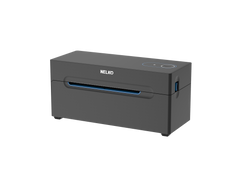
For example, you can use a PL70E bluetooth printer to print shipping labels from your phone for a small business, price tags at a popup shop, or barcode labels while moving around a warehouse.

When Should You Choose a WiFi Printer?
A WiFi printer is a good choice if you have a stable wireless network and want several devices to access the same printer.
Consider a WiFi printer if:
- You share a printer with others. Multiple people need to print from different devices.
- You print from different rooms. You want to access the printer from anywhere within your network's coverage area.
- You regularly print large batches. You need a printer that supports your printing volume and can receive jobs through a network.
- You use several devices. You want to print from compatible computers, smartphones, or tablets without pairing each one directly.
For example, a WiFi printer can be shared by family members in a home office or used by employees to print shipping labels from different computers in a shared workspace.
Ultimately, choose Bluetooth if portability and direct connections matter most to you. Choose WiFi if network sharing and access from multiple devices are your priorities. Remember that printing speed and output quality still depend on the specific printer model.
FAQs:
Are Bluetooth Printers Always Slower Than WiFi Printers?
Not necessarily. For simple printing tasks like labels and stickers, the speed difference may be barely noticeable. WiFi generally has an advantage when transferring larger files, but actual printing speed depends on the printer's hardware.
Do WiFi Printers Need an Internet Connection?
No. WiFi printers can print over a local wireless network without an internet connection. Some models also support WiFi Direct, allowing devices to connect without a router.
Can a Printer Support Both Bluetooth and WiFi?
Yes. Some modern printers support both Bluetooth and WiFi connections. This allows users to switch between connection methods depending on their needs. You can check it before buying a new one.
Do Bluetooth Printers Need a Separate App?
Usually, yes. Many Bluetooth printers use a dedicated mobile app provided by the manufacturer. However, app requirements vary by model, and some printers support other printing methods.
Conclusion
Choosing between a Bluetooth printer and a WiFi printer depends on how and where you plan to print. Consider your workspace, the devices you use, and whether you need to share the printer with others. A WiFi label printer can be a good fit for a shared workspace with multiple users, while Bluetooth is often more convenient for smaller spaces and direct mobile printing.