



What Is a Portable Printer? A Simple Guide for Everyday Printing
Some jobs keep you moving from place to place. When you need to print something, you may not always have a printer nearby. A portable printer can help you handle small printing tasks wherever you are. You may use one to print photos, labels, stickers, shipping labels, or documents.
This guide will explain what these printers do, where you might use one, and what their limits are. It also covers the main types and the key points to check before buying.
What Is a Portable Printer?
A portable printer is a compact device you can use at home, school, work, or while traveling. Some fit in a bag and print labels, stickers, notes, or photos. Others are larger because they support full-page documents.
Many connect to phones or tablets through Bluetooth or Wi-Fi, while some also work with laptops through USB. Power and compatibility vary, so check whether the printer needs a cable and supports your device.
Portable printers are best for specific, smaller jobs rather than replacing a standard printer for every task.
What Can You Do With Portable Printers?
Portable printing can be useful at home, while studying, during a trip, or when running a small business.
Print Photos and Creative Projects
A good photo can easily disappear among thousands of images on your phone. Printing it gives you something you can place in a journal, scrapbook, planner, or handmade gift.
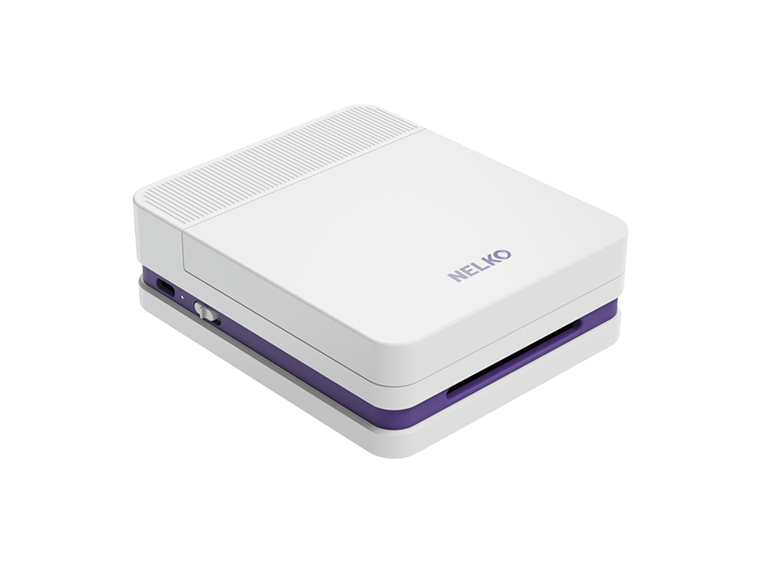
A portable photo printer can also be useful for travel journaling. For example, you can print small color photos with a printer such as Nelko PP03 during a trip, and add them to your journal while the memories are still fresh.
For small creative projects, a portable sticker printer lets you print your own designs for notebooks, cards, packages, or planners. It is practical when you only need a few stickers rather than a large batch.

Organize Your Home
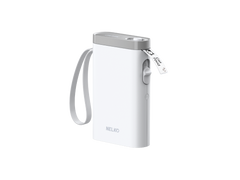
A portable label printer such as The Nelko PM230 can create labels for flour, coffee, spices, and snacks while you organize a kitchen cabinet. Clear labels make similar containers easier to identify.
You can also label storage boxes, cables, and cleaning products around the home.A clear name on the front of a box will save time and make it easier for other people to put things back.

Support School and Study
Students can use small printouts for vocabulary cards, short notes, diagrams, reminders, and to-do lists.
When studying for a language test, you can print a set of vocabulary flashcards instead of writing each one by hand. You can also print short reminders for your planner or folders. The cards are easy to carry and review during short breaks.
Print Labels for a Small Business
For a small online shop, printing is often part of packing every order. Product labels, price tags, barcodes, packaging stickers, inventory labels, and shipping information may all be needed.
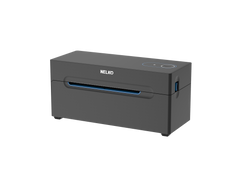
As an online seller, you could add a product label and sticker to the package, then use a printer such as the NELKO PL70E to print a standard 4 × 6-inch shipping label. Remember to check the label size, barcode quality, supported platforms, and expected daily volume before choosing one.

Benefits and Limitations of Portable Printers
These devices are useful when you have limited space or need quick access to printing. Their value comes from convenience, but every model also has limits.
Main Benefits
- Easy to store on a shelf, desk, or inside a drawer
- Small enough to carry to school, work, or on short trips
- Useful when you need to print labels, notes, photos, or other small items quickly
- Direct phone or tablet connection on many models
- Useful for home organization, study, creative projects, and small businesses
Main Limitations
- Maximum print size may be quite small
- Some models only print in black and white
- Special paper, label rolls, cartridges, or photo sheets may be required
Consider these points in relation to your own needs. A printer can be easy to carry but still be the wrong choice if it does not support the size or material you need.
How to Choose Your First Portable Printer
Your first decision should not be about the brand or appearance. Start with the job you need the printer to do.
What Do You Want to Print?
Choose your main use first:
- Labels and stickers
- Photos
- Documents
- Shipping labels
Not sure which type you need? Take a look at NELKO portable printers to see what label, photo, and shipping models can do. Then compare their print sizes and color options.

What Print Size and Color Do You Need?
Check the exact print dimensions, as terms like “mini” or “label printer” can cover different sizes. Small labels suit cables and jars, while shipping labels and documents need more space. Color works better for photos and designs, but black and white is usually enough for text, barcodes, and organization.
Is It Easy and Affordable to Use?
Make sure the printer connects to your device and check whether it needs an app, driver, or cable. You should also consider the price and availability of compatible paper, labels, ink, or cartridges. Nelko’s Support page provides manuals, downloads, and setup guidance.

Frequently Asked Questions
Do Portable Printers Need Ink?
It depends on the printing method.
A portable thermal printer uses heat-sensitive paper and does not need traditional ink, toner, or ribbons. Photo and inkjet models may require cartridges, photo paper, or other supplies.
For a fuller explanation of thermal, photo, and inkjet printing methods, you could read our guide to whether portable printers need ink.
Can a Portable Printer Print Regular Documents?
Some models can. But small label and photo printers cannot print full-size pages.
You can look for a document model and check whether it supports A4, Letter, or the paper size you normally use.
Can Portable Printers Connect to a Phone?
Many connect through Bluetooth or Wi-Fi and use a mobile app for setup and printing. Before buying, check that the app supports your phone and operating system.
Are Portable Printers Easy to Use?
Most models are made for simple everyday tasks. Setup may involve installing an app, pairing the device, and loading the correct paper.
Can a Portable Printer Replace a Regular Printer?
It may replace one for specific tasks, such as labels, stickers, small photos, shipping labels, or occasional documents.
You may still need a regular printer for scanning, copying, large batches, or frequent full-page printing.
What Type of Portable Printer Is Best for Beginners?
Start with what you print most—labels, photos, or documents. Then compare print size, color, connection, and supply costs based on your needs.